
1. Program Overview
Program name: ChorifIQ SMS Notifications
Sender: ChorifIQ LLC
Message types: Daily morning chore digest and/or evening reminder for incomplete chores
Message frequency: Up to 2 messages per day (1 morning + 1 evening)
Eligibility: Verified adult users (18+) subscribed to the ChorifIQ Max tier — minor accounts (teen or child) are not eligible and will not have access to SMS in the app. Further, an active 'Max' tier subscription is required which requires a valid adult-owned payment method (App Store/Google Play), serving as a secondary age-verification layer.
Content: Transactional service notifications only — no marketing or promotional content
2. How to Opt In
Opt-in is available exclusively through the ChorifIQ mobile app (iOS and Android). There is no keyword or web-based opt-in path.
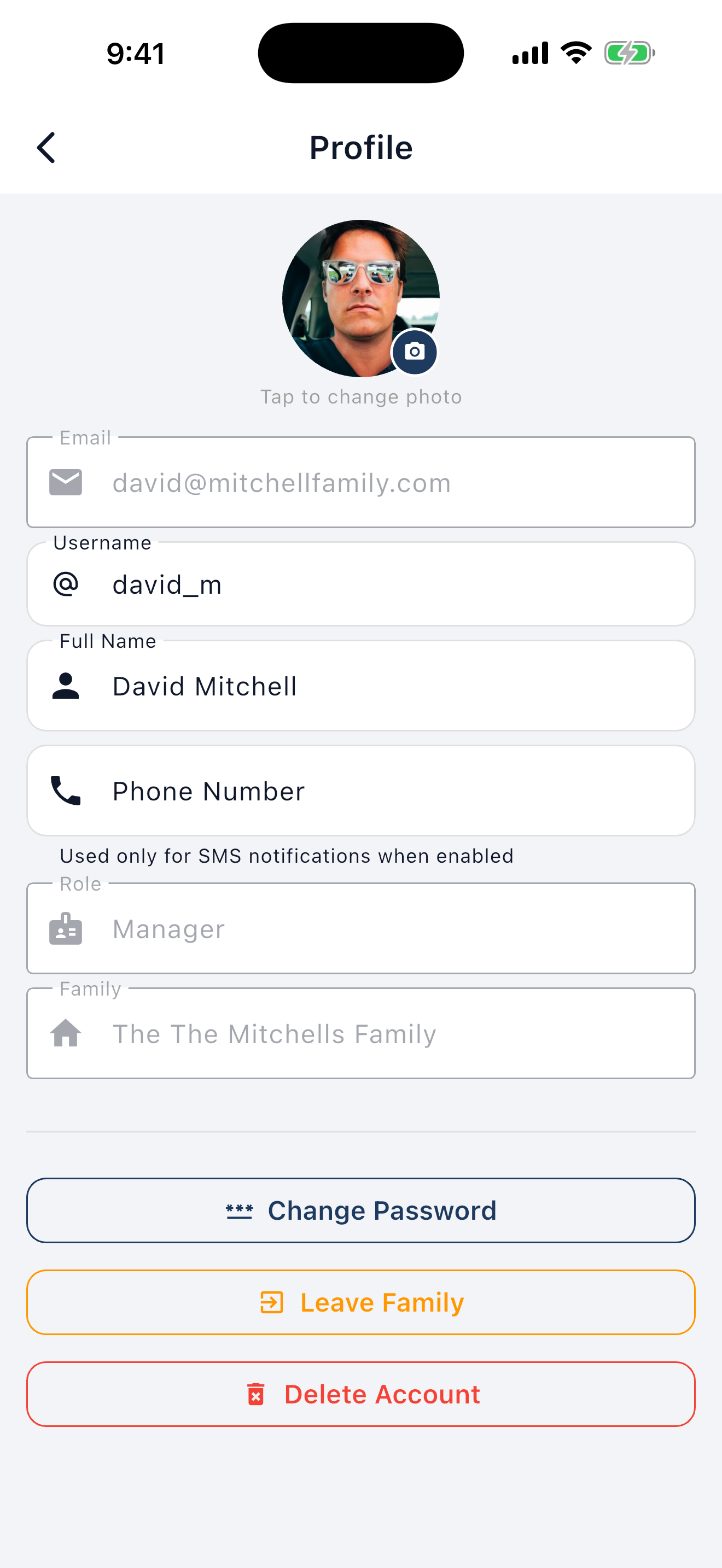
Step 1 — Enter Your Phone Number
Navigate to your Profile screen and enter your mobile phone number. Entering a phone number alone does not opt you in and does not trigger any SMS messages.
Step 2 — Enable SMS in Settings (Affirmative Opt-In)
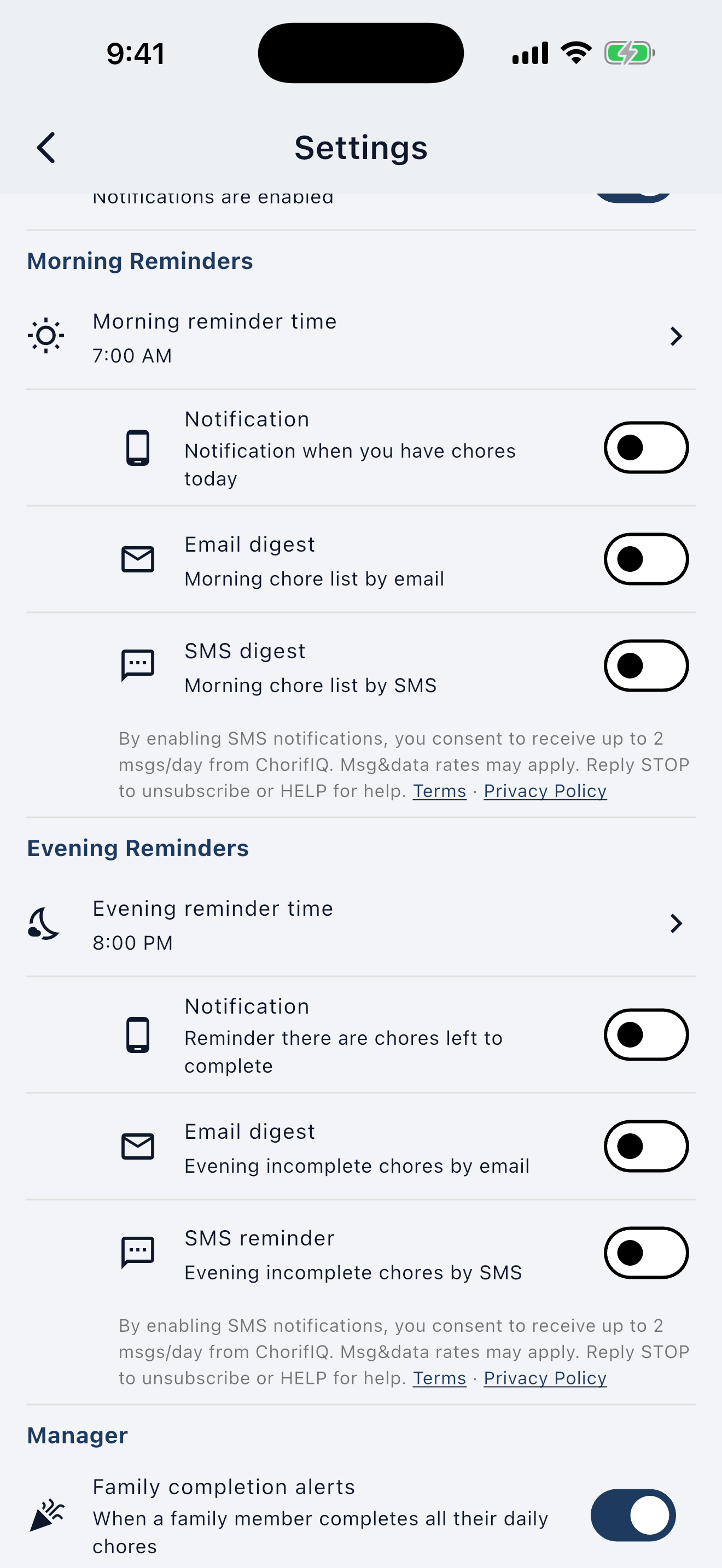
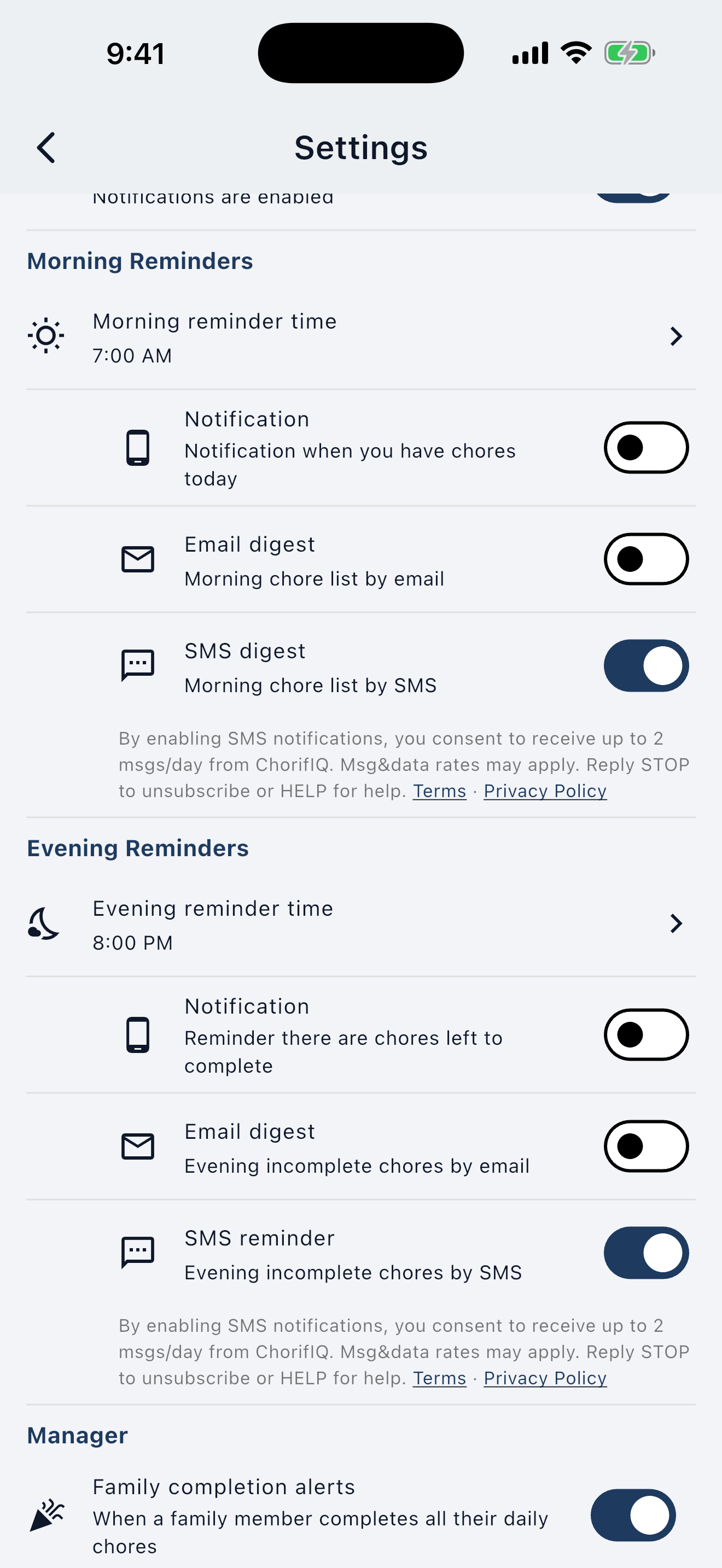
Navigate to Settings > Morning Reminders or Settings > Evening Reminders and toggle on SMS digest or SMS reminder. The SMS toggle is off by default — enabling it is the user's affirmative opt-in action (equivalent to checking an unchecked checkbox). This toggle is available only to users on the paid Max subscription tier.
3. In-App Consent Disclosure
Immediately below each SMS toggle, the following consent disclosure is permanently displayed — visible in both the off (default) and on states:
"By enabling SMS notifications, you consent to receive up to 2 msgs/day from ChorifIQ. Msg&data rates may apply. Reply STOP to unsubscribe or HELP for help. Terms · Privacy Policy"
The Terms and Privacy Policy links are always visible and tappable — they are not hidden behind any toggle state.
Minor Accounts
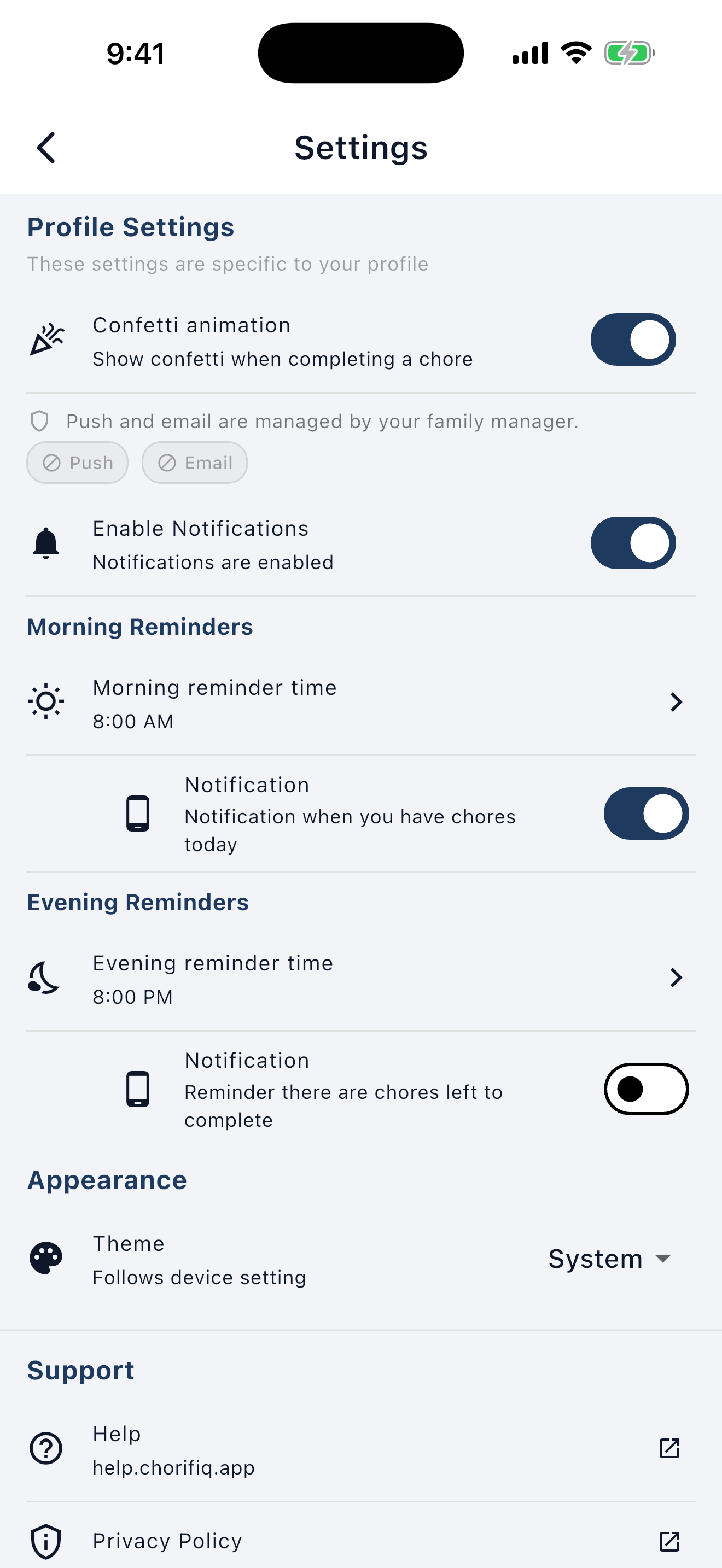
Minor accounts (teen or child age group) do not see the SMS toggle or any SMS settings. The entire SMS section is programmatically hidden for these users.
4. Opt-In Confirmation Message
Each time you enable an SMS notification toggle, a welcome message is sent to verify delivery and confirm your enrollment:
"Welcome to ChorifIQ SMS! You'll receive chore reminders at your configured times. Up to 2 msgs/day. Msg&data rates may apply. Reply HELP for help or STOP to unsubscribe."
5. How to Opt Out
Via SMS Reply
Reply to any ChorifIQ SMS message with any of the following keywords:
STOP · STOPALL · UNSUBSCRIBE · CANCEL · END · QUIT
You will receive a one-time confirmation:
"You've been unsubscribed from ChorifIQ SMS notifications. No further messages will be sent. To re-enable, open the ChorifIQ app and go to Settings."
Via the App
Toggle off SMS notifications (or both the Morning and Evening sub-toggles) in Settings > Daily Chore Digest.
Re-Enrolling After Opting Out
Re-enrollment is supported only through the app. If you text START after opting out, you will receive:
"To re-enable ChorifIQ SMS notifications, open the ChorifIQ app and go to Settings > Daily Chore Digest."
6. Keyword Responses
| Keyword(s) | Response |
|---|---|
| STOP, STOPALL, UNSUBSCRIBE, CANCEL, END, QUIT |
"You've been unsubscribed from ChorifIQ SMS notifications. No further messages will be sent. To re-enable, open the ChorifIQ app and go to Settings." |
| HELP, INFO | "ChorifIQ SMS Notifications: family chore reminders & digests. Up to 2 msgs/day. Msg&data rates may apply. Email support@chorifiq.app for help. Reply STOP to unsubscribe." |
| START | "To re-enable ChorifIQ SMS notifications, open the ChorifIQ app and go to Settings > Daily Chore Digest." |
7. Privacy
Your mobile phone number and SMS opt-in data are collected solely to deliver the notifications you have explicitly opted into. This mobile information will not be shared with third parties or affiliates for marketing or promotional purposes. This information is never sold, rented, or shared with any third party for any purpose. It is transmitted to our SMS delivery provider (Twilio) solely to send the messages you requested. All other categories of data sharing exclude text messaging originator opt-in data and consent; this information will not be shared with any third parties.
See our full Privacy Policy and Terms of Service — SMS section for complete details.
Questions? Email support@chorifiq.app.